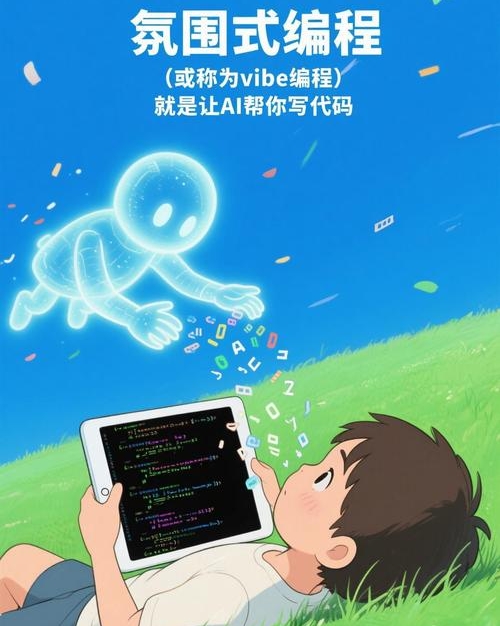
Vibe Coding is defined as a method where AI directly writes usable code for you without the need to learn programming. You simply state your requirements, and the AI generates the code for you.
It’s like ordering food, but at a higher level—you don’t need to know how to cook; just say, “I want a button with a breathing light and a loading prompt when clicked,” and the AI serves you the code hot and ready to use.
What is Vibe Coding?
Vibe Coding is a new programming paradigm in the AI era, centered around “describing requirements in natural language for AI to generate code.” It shifts the labor-intensive task of writing code line by line to AI, allowing humans to focus on the desired “vibe”—for example, a “techy login page,” an “auto-loading list,” or a “simple to-do tool.”
In simple terms, Vibe Coding means: you communicate your ideas in plain language, and AI transforms those ideas into runnable code. For instance, if you say, “Help me create a techy button with a breathing light that shows a loading state when clicked,” the AI will generate complete code including HTML, CSS, and JS without you needing to remember any syntax.

What are the Benefits of Vibe Coding? (Core Features)
The value of Vibe Coding lies in lowering the barriers to programming, enabling non-programmers to realize their creative ideas. Its main features include:
-
Rapid Prototype Generation: Describe your requirements in a few sentences, and the AI can generate a runnable prototype in minutes (e.g., a login page or a small tool), suitable for quickly validating ideas.
-
Automatic Bug Fixing: If the generated code has issues (e.g., a button that doesn’t respond), you can describe the problem, and the AI will locate and fix it, optimizing the interaction experience as well.
-
Adaptability to Different Scenarios: Whether it’s UI components (buttons, cards), logical functions (infinite scrolling, form submission), or mini-games (like Snake or open-world games), Vibe Coding can handle it as long as you can clearly express the desired vibe.

Can Ordinary People Learn It? (Learning Curve)
Absolutely! Vibe Coding is zero-basics friendly and doesn’t require any programming syntax knowledge. Here’s why:
- No need to memorize syntax: You only need to speak in plain language (e.g., “techy button,” “breathing light effect”), and the AI will convert it into code.
- User-friendly tools: Common Vibe Coding tools (like Cursor, Google AI Studio, Trae) have conversational interfaces, allowing you to input your needs like chatting with a friend to generate code.
- Step-by-step tutorials: There are many online tutorials for beginners (e.g., using Google AI Studio to create personal websites or using Cursor to build to-do tools), enabling quick mastery by following along.
For instance, a person with no programming experience can follow a tutorial using Google AI Studio, inputting, “Help me create a personal resume page with a clean style, including a profile picture, skills list, and project experience,” and the AI will generate complete HTML code ready for deployment.
Basic Operating Principles (Step-by-Step)
The core process of Vibe Coding is “describe requirements → generate code → iterate and optimize.” Here’s how to operate:
1. Step One: Choose the Right Tool (Essential for Beginners)
New users are recommended to use simple, no-configuration-required tools, such as:
- Google AI Studio (web-based, no installation required): Suitable for creating front-end pages (like login or resume pages), where you input requirements and get code generated with a preview of the results.
- Cursor (desktop, free): Suitable for full-stack projects (like small tools with backends), supporting conversational modifications to code (e.g., if you say, “Change the button color to blue,” the AI will automatically make the change).
- Trae (domestic, web-based): Suitable for creating UI components (like buttons or cards), supporting vibe descriptions (e.g., “techy button”), with code that can be directly copied into your project.
2. Step Two: Describe Your Requirements (Key Techniques)
The essence of Vibe Coding is to turn vague feelings into specific instructions. It’s recommended to use the formula of “core vibe + functional requirements + detail preferences + technical constraints”:
- Core vibe: Define the “atmosphere” with 1-2 keywords (e.g., “techy,” “minimalist,” “cute”).
- Functional requirements: Clearly state what you want to create (e.g., “login page,” “to-do list”).
- Detail preferences: Add visual/interactivity details (e.g., “button with breathing light,” “fade in on scroll”).
- Technical constraints: Specify the technology to use (e.g., “Tailwind CSS,” “Vue3”).
Example (Creating a “Techy Login Page”): “Help me create a [techy futuristic] [login page] with the core function of [username and password login]. Visual details: background with gradient color (#0F172A to #1E293B), input box border in fluorescent green (#10B981), button with breathing animation; interaction details: glowing border on input focus, button shadow on hover; technical constraints: use Tailwind CSS, mobile-compatible.”
Counterexample (Vague Description): “Help me create a login page.” (The AI might generate code that doesn’t meet expectations, like an outdated style or lacking interactivity.)
3. Step Three: Generate Code (One-Click Done)
After inputting your requirements into the tool, the AI will automatically generate the code. For example, using Google AI Studio, inputting the above requirements and clicking the “Build” button will show the generated HTML and CSS code, with a preview available in “Preview.”
4. Step Four: Iterate and Optimize (The More You Adjust, the Better It Works)
The generated code may not be perfect and requires using “feedback” instead of “rewriting.”
If there’s a functional issue, like “the login button does not respond,” you can input, “Fix the login function and add a loading state prompt,” and the AI will automatically modify the code.
If you want to adjust details, like “the button color is too bright,” you can input, “Change the button color to a darker shade of green (#059669),” and the AI will automatically replace the color value.
If you want to add functionality, like “adding a ‘remember password’ checkbox,” you can input, “Add a remember password feature, using localStorage for storage,” and the AI will automatically add the corresponding JS code.
5. Step Five: Deploy Online (Let Others See It)
The generated code can be deployed online for others to access. For example:
- Front-end projects: Use Vercel (web-based) to import GitHub code and deploy with one click, obtaining an online link (like your personal resume page to share with friends).
- Back-end projects: Use Heroku (web-based) for deployment, suitable for small tools with databases (like a tool for tracking follower growth).
Important Considerations (Pitfall Guide)
- Be Specific with Requirements: Avoid vague terms (like “good-looking” or “user-friendly”); be specific about “color, animation, interaction” (e.g., “button with breathing light,” “fade in for prompts”).
- Iteration is Key: Vibe Coding isn’t about generating perfect code in one go, but rather about “multiple feedback optimizations” (e.g., if the first generated button lacks a loading state, feedback on the second attempt can add it).
- Pay Attention to Security Issues: If it’s a live project (like tools involving user data), ensure the AI checks for security issues (e.g., “add form validation to prevent SQL injection”).
Conclusion: Who is Vibe Coding For?
Vibe Coding is suitable for anyone wanting to realize creative ideas without prior programming knowledge, such as:
- Product Managers: Quickly generate prototypes to validate ideas;
- Designers: Transform design drafts into interactive pages;
- Ordinary Users: Create personal tools (like tracking follower growth or organizing photos).
In summary, Vibe Coding is about “using conversation instead of typing code,” giving everyone the opportunity to turn their “ideas” into “reality.”
Now, open Google AI Studio, input your first requirement (like “Help me create a personal resume page”), and start your Vibe Coding journey!

Comments
Discussion is powered by Giscus (GitHub Discussions). Add
repo,repoID,category, andcategoryIDunder[params.comments.giscus]inhugo.tomlusing the values from the Giscus setup tool.